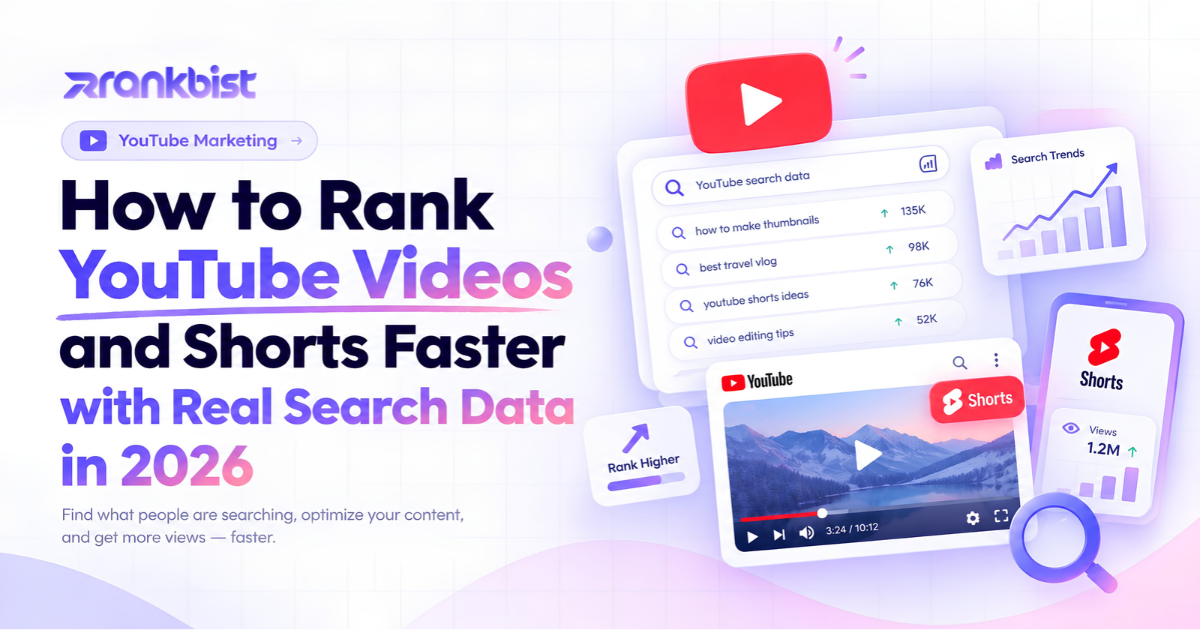
How to Rank YouTube Videos and Shorts Faster with Real Search Data in 2026
Views, subscribers and watch time still come from one place: being found. Yet most creators treat video SEO as an afterthought. They write a title that sounds good, add a few tags they remember, and hope the algorithm notices.
In 2026 that approach is too slow. YouTube ranks videos the same way Google ranks pages: by matching what people actually type into the search bar. When your title, description, chapters and tags use the exact phrases viewers search, the video starts with a ranking advantage. When those elements are written from guesswork, even strong content stays buried.
This guide shows the practical system that turns real search data into titles, tags, chapters and Shorts that rank. No theory. Just the steps that consistently put videos in front of new viewers.
Why Most Video SEO Still Fails
Creators usually make three mistakes:
- They invent titles instead of using the spellings people actually search.
- They skip proper chapters or write them in a way that breaks platform rules.
- They never turn the strongest moments of a long video into Shorts that bring new traffic back to the main video.
The result is predictable. The long video gets a few views from existing subscribers. The Shorts never appear in search or the Shorts feed for the right keywords. Growth stays linear instead of compounding.
A better system starts with real search data, builds every SEO element from that data, and automatically extracts the moments that work as Shorts.
The Four Elements That Decide Video Rankings
1. Title
The title is the strongest ranking signal. It must contain the primary keyword in the spelling that has the most real searches. Secondary keywords can appear naturally, but the main phrase should be near the front when possible.
2. Description and tags
The description should expand on the title with related searches and a clear summary of what the viewer will learn. Tags must stay inside the 500-character limit, avoid duplicates, and include the main keyword plus close variations.
3. Chapters
Chapters help both viewers and the algorithm. They must start at 0:00, contain at least three timestamps, and use clear language. Poorly formatted chapters are simply ignored.
4. Shorts
Short-form clips that come from the strongest moments of a long video act as free discovery ads. Each Short needs its own title, caption and hashtags built around real search volume. When those Shorts rank, they send viewers back to the original video.
When all four elements are built from the same real search data, the video and its Shorts reinforce each other.
Step-by-Step Workflow That Actually Moves Rankings
Step 1 – Research the exact phrases people search
Before writing anything, check the real demand and competition for the topic. Look at:
- Search suggestions from YouTube and Google
- Related searches and the tags already used by ranking videos
- Interest versus competition scores so you know which angle is worth targeting
Tools that pull this data directly (instead of inventing volumes) remove the guesswork. You can explore this inside Rankbist Keywords Explorer and the Content Keyword feature inside Creator Studio.
Step 2 – Build the full SEO package for the long video
Once you have the main keyword and related terms:
- Write 2–3 title options that put the highest-volume spelling first
- Create a description that includes the main keyword early and covers the related searches
- Add valid chapters that begin at 0:00 and use natural language
- Generate a clean set of tags that stay under the character limit
Every element should come from the same research so the signals stay consistent.
Step 3 – Cut the strongest moments into Shorts
Upload the long video (or a short low-resolution copy for analysis). The system identifies complete thoughts that work as standalone Shorts, crops them to keep the speaker in frame, and adds burned-in captions.
For each Short you receive:
- A title and caption written around real search spellings
- Hashtags that match what people actually type
- An .srt file if you need it on other platforms
You keep the original file on your computer. Only a small analysis copy is processed and then deleted.
Step 4 – Check the package before publishing
Run the finished title, description, tags and chapters through a video SEO checker. The checker scores them against platform rules and highlights anything that will hurt ranking (duplicate tags, missing 0:00 chapter, titles that ignore the main search spelling, etc.).
Fix the issues, then publish.
Step 5 – Monitor and repeat
Track which titles and Shorts bring the most traffic. Use the same research process for the next video so every new upload starts with data instead of guesswork.
Common Mistakes That Kill Video Growth
- Writing titles that sound clever but match almost no real searches
- Adding 30–40 tags that include duplicates or irrelevant terms
- Publishing long videos with no chapters or chapters that start after 0:00
- Creating Shorts from random clips instead of the moments that already performed well
- Ignoring the exact spelling variations that carry the most volume
Avoid these five and the same content reaches far more people.
How Creator Studio Removes the Manual Work
Doing the research, writing, chapter creation and Shorts cutting by hand takes hours per video. Creator Studio compresses the entire process into three steps:
- Choose the video and the part you want analysed.
- The system pulls real search data, writes the SEO package, finds the best moments and generates captions.
- You review, download a single ZIP with every Short, caption file and SEO text, then publish.
Captions are available in English, Bengali and Hindi script. Higher packages remove the small watermark. The original video never leaves your computer.
You can see the full current feature list on the Rankbist Creator Studio page.
Why Rankbist Is the Better Choice for Creators
Most video tools either focus only on editing or only on basic keyword suggestions. Rankbist combines real search data, full video SEO packages, automatic Shorts creation and the rest of a professional SEO toolkit under one login.
You get:
- Titles, descriptions, chapters and tags built from actual search volume
- Shorts cut on complete thoughts with platform-ready captions
- A video SEO checker that catches ranking problems before you publish
- The same engine that powers content checks, site audits, rank tracking and keyword research
- Pricing that starts free and paid plans from $22 a month — roughly half the cost of separate video and SEO tools
Everything lives in one place. You stop jumping between research tools, editors and SEO platforms.
Start with the free plan at rankbist.com. Upload one long video, generate the SEO package and Shorts, and publish with real search data instead of guesswork. When you need more videos per month or watermark-free Shorts, upgrade only what you use.
The creators who treat video SEO as a data-driven system instead of a creative afterthought are the ones adding consistent views and subscribers in 2026. Real search data is the difference.
Frequently asked questions
Does Creator Studio work for platforms other than YouTube?
Yes. The Shorts are delivered in vertical, square or portrait formats and each one receives a title, caption and hashtag set that works on any short-form platform. The long-video package (title, description, chapters, tags) is optimised for YouTube but the principles apply everywhere.
Do I have to upload my full high-resolution video?
No. Your browser creates a small low-resolution copy for analysis only. The actual Shorts are cut from your original file on your own computer in full quality, so even large camera files work.
Are the search volume numbers real or estimated?
They come from real search suggestions and existing ranking videos. When fresh data is unavailable the tool shows older data with its date clearly marked. Volumes are never invented.
Is there a watermark on the Shorts?
Free and Starter plans add a small “Made with Rankbist” mark. Pro and Advanced plans remove it completely.
Can I check a video that is already published?
Yes. Paste the live video link into the video SEO checker to score the existing title, description, tags and chapters against current ranking best practices.
Rank faster with Rankbist
The automated SEO engine that finds what holds your pages back and fixes it.
- Free plan, no card needed
- AI fixes in one click
- Real Google rankings and indexing