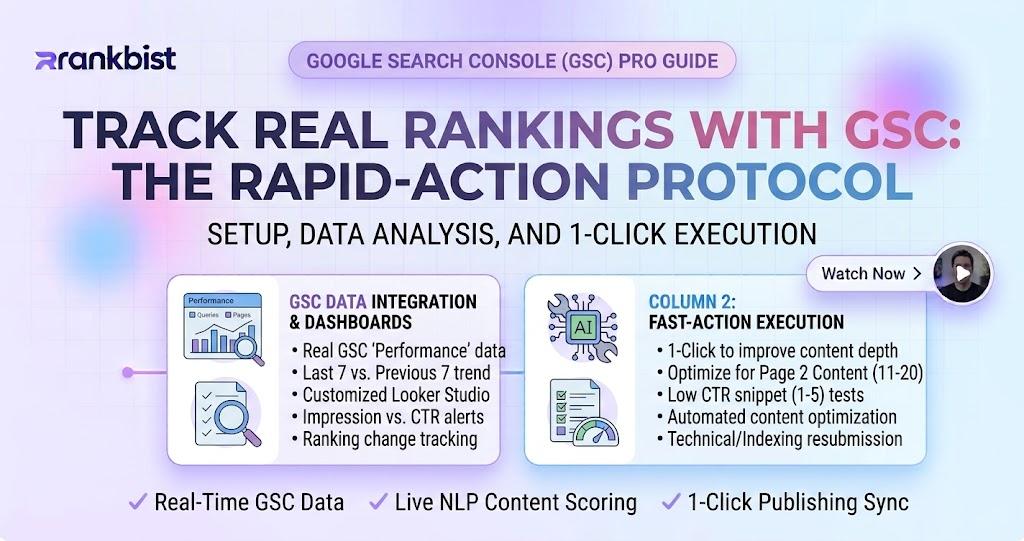
How to Track Real Rankings from Google Search Console and Act on Them Fast
Most rank trackers still show estimated positions. They crawl Google from different locations, average the results, and present a number that looks precise but often differs from what you see in Search Console. When the estimate is wrong, the decisions you make are wrong too.
In 2026 the better approach is simple: track the rankings Google itself reports for your property. These are the positions that actually drive clicks and impressions. When a keyword rises or falls in your own Search Console data, you know the change is real.
This guide shows how to set up daily rank tracking from Search Console, read the data correctly, and turn ranking movements into concrete fixes before traffic is lost.
Why Estimated Rank Trackers Create False Confidence
Third-party rank trackers have three built-in limitations:
- They measure from data centres or proxy locations that may not match your audience
- They often sample only a few results and extrapolate
- They cannot see personalised or local variations that affect real users
The result is a ranking report that looks professional yet frequently disagrees with the Performance report inside Search Console. Teams waste time celebrating “wins” that never appear in actual traffic or panicking about “losses” that were never real.
When rankings come directly from your Search Console property, every number is grounded in the same data Google uses to show your pages to users.
What Real Rank Tracking Should Show You
A useful rank tracker built on Search Console data delivers:
- Daily positions for the keywords you choose
- Clear winners and losers over the last 7 and 28 days
- Impressions and clicks alongside the position so you see impact, not just rank
- Historical charts so you can spot trends instead of reacting to single-day noise
- Easy filtering by page, country or device when the data supports it
The goal is not to watch hundreds of keywords. The goal is to watch the keywords that matter and act when they move.
Step-by-Step System for Actionable Rank Tracking
1. Connect Search Console and select priority keywords
Link your Search Console property. Then choose a focused list of keywords:
- Primary commercial terms that drive revenue
- Supporting informational keywords that feed the funnel
- Branded terms so you can spot sudden drops
- A small set of competitor comparison terms if useful
Start with 20–50 keywords. More is not better if you cannot act on the data.
2. Check positions daily, not weekly
Daily data reveals problems early. A keyword that slips from position 4 to position 12 over three days is still recoverable. The same drop discovered two weeks later has already cost traffic and may be harder to reverse.
Set the tracker to update every day and surface the biggest movers automatically.
3. Separate winners from losers at a glance
A good interface highlights:
- Keywords that gained the most positions
- Keywords that lost the most positions
- Pages that are rising or falling across multiple terms
This view tells you where to spend time first.
4. Diagnose the cause of movement
When a keyword drops, check the related page for:
- New indexing problems
- Content quality issues that appeared after an update
- Technical problems (speed, mobile usability, canonical conflicts)
- Stronger competing pages that entered the top results
When a keyword rises, note what changed so you can repeat the pattern on similar pages.
5. Link ranking data to content and technical fixes
Rank tracking alone is only a scoreboard. The value comes when it is connected to the tools that fix the underlying problems:
- Content checks that surface unsourced claims, flat rhythm or missing experience
- Site audits that catch technical errors
- Index status checks that confirm the page is still in Google
When these systems live in the same dashboard, the path from “ranking dropped” to “problem fixed” becomes short.
You can see this connected workflow inside Rankbist Rank Tracker.
Common Rank-Tracking Mistakes That Waste Time
- Tracking hundreds of low-value keywords and ignoring the ones that drive revenue
- Reacting to single-day fluctuations instead of 7-day or 28-day trends
- Celebrating estimated ranking gains that never appear in Search Console
- Checking rankings without ever looking at the page that ranks
- Using rank data in isolation from content quality and technical health
Avoid these five and the same ranking information becomes far more useful.
How Rank Tracking Fits with the Rest of SEO Work
Rankings are the outcome of many inputs: content quality, technical health, internal links, index status and relevance. A modern workflow therefore treats rank tracking as the feedback loop, not the starting point.
- Create or improve content with a scored content engine
- Confirm the page is indexed and free of major technical errors
- Track the target keywords daily
- When positions move, return to content or technical checks and fix the cause
- Re-measure
This closed loop is what turns ranking data into growth instead of anxiety.
Why Rankbist Delivers Cleaner Ranking Data and Faster Action
Most rank trackers still rely on estimated positions and sit in a separate tool from your content and technical SEO work. Rankbist pulls rankings directly from your Google Search Console property and keeps them beside the rest of the SEO engine:
- Real daily positions from your own Search Console data
- Automatic winners and losers so you see what needs attention
- Direct links to content checks, site audits and Google index status for the same pages
- Keyword research, Brand Radar, local SEO and Creator Studio under the same login
- Pricing that starts free and paid plans from $22 a month — roughly half the cost of typical rank-tracker plus content-tool stacks
You stop switching between estimated rank tools, Search Console, and separate SEO platforms. Everything that affects rankings lives in one place.
Start with the free plan at rankbist.com. Connect Search Console, add your most important keywords, and begin seeing the positions Google actually reports. When a keyword moves, you already have the content and technical tools needed to respond.
Real rankings from Search Console remove the guesswork. Acting on them daily is what turns ranking data into consistent traffic growth in 2026.
Frequently asked questions
Is Rankbist rank data estimated or taken from Search Console?
It uses the actual positions reported by Google Search Console for your property. No estimated ranks from third-party crawls.
How often are rankings updated?
Positions are updated daily. Priority keywords can be monitored so you see movers quickly.
Do I need a paid plan to track rankings?
Basic daily rank tracking is available on the free plan for a limited number of keywords. Higher packages increase the number of tracked keywords and add more history and alerts.
Can I see both position and traffic impact?
Yes. Rankings are shown alongside impressions and clicks from Search Console so you can judge whether a position change actually affects traffic.
What should I do when a keyword drops suddenly?
First confirm the page is still indexed, then run a content check and a technical audit on that URL. Most sudden drops have a clear cause that these checks surface quickly.
Rank faster with Rankbist
The automated SEO engine that finds what holds your pages back and fixes it.
- Free plan, no card needed
- AI fixes in one click
- Real Google rankings and indexing